








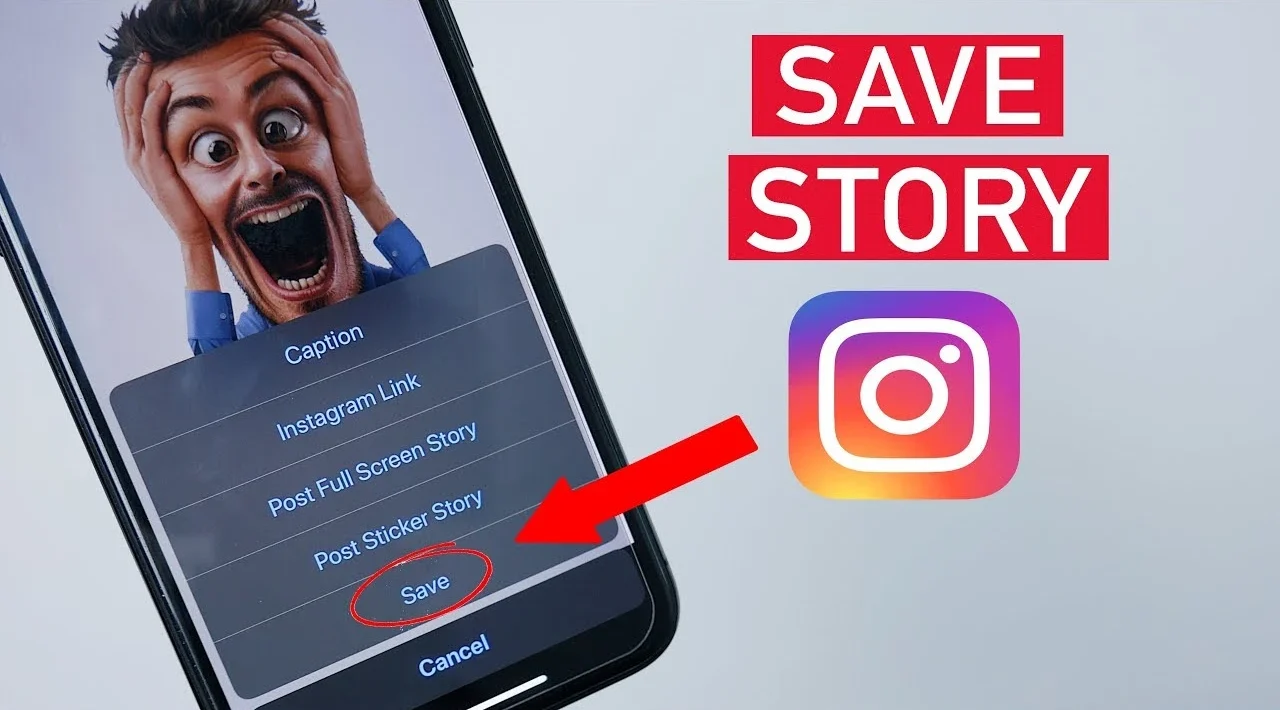
Instagram is one of the most popular platforms for sharing photos, videos, Reels, and Stories. Sometimes, users want to save a useful video, keep a favorite photo, or watch a Reel later without searching for it again. This is where an Instagram downloader can help. These tools allow users to download certain Instagram content to their devices, depending on the tool’s features and Instagram’s access restrictions.
An Instagram downloader can be useful for people who want to keep personal content, save public posts for reference, or organize media they have permission to download. However, not every tool works the same way, and some websites may contain misleading advertisements or unsafe download buttons.
In this guide, we will explain what an Instagram downloader is, how these tools work, which features to look for, and how to use them more safely. We will also discuss privacy, copyright, Instagram’s built-in saving options, and common questions users ask before downloading content.
Table of Contents
- What Is an Instagram Downloader?
- Why Do People Use Instagram Downloaders?
- Types of Instagram Content You Can Download
- How to Use an Instagram Downloader
- Important Features to Look For
- Benefits and Limitations of Instagram Downloaders
- Is an Instagram Downloader Safe and Reliable?
- Instagram Downloader vs. Instagram’s Save Feature
- Frequently Asked Questions
- Conclusion
What Is an Instagram Downloader?
An Instagram downloader is a website, application, or software tool designed to help users save Instagram photos and videos to their devices. Depending on its capabilities, a tool may support individual posts, Reels, videos, or other publicly accessible media.
Many browser-based downloaders work by processing a link to an Instagram post. A user copies the post’s URL, pastes it into the downloader, and follows the available instructions. If the content is accessible and supported, the tool may provide a downloadable media file.
Some downloaders work on mobile devices, while others are designed for desktop browsers. Certain tools offer additional features, such as selecting video quality or downloading images in their original available resolution. However, these features vary, and no single downloader supports every type of Instagram content.
How Does an Instagram Downloader Work?
Most online Instagram downloaders follow a straightforward process. First, the user finds a post they want to save and copies its link using Instagram’s sharing options. The user then opens a downloader website and pastes the link into the provided field.
The website processes the link and attempts to locate the media associated with the post. If successful, it displays a download option. The user can then save the supported file to a phone, tablet, or computer.
The process depends on the website’s technology and Instagram’s access restrictions. Private posts, removed content, login-protected media, and unsupported formats may not work. A downloader should not be assumed to have access to every post on the platform.
Do You Need to Install an Application?
Not necessarily. Many Instagram downloader tools operate directly through a web browser, which means users do not need to install additional software. This can be convenient for people who only want to download an occasional photo or video.
Other tools require an application or browser extension. These may offer additional functions, but installation introduces extra considerations, including permissions, device security, and privacy.
For occasional downloads, a browser-based option may be sufficient. Before installing any application, check its developer, permissions, reputation, and privacy policy.
Why Do People Use Instagram Downloaders?
People search for an Instagram downloader for several reasons. Some want to keep useful information, while others want offline access to media they enjoy. The best approach depends on what the user wants to save and whether they have permission to download it.
Saving Useful Videos for Later
Instagram contains educational videos, cooking demonstrations, fitness tutorials, travel guides, and practical tips. Users may want to keep a copy of material they have permission to download so they can refer to it later.
For example, someone learning a new recipe might want to save the creator’s demonstration for use in the kitchen. A student may want to keep an authorized educational video for personal reference.
Downloading should not replace respecting the creator’s rights. If a video belongs to another person, saving it does not automatically grant permission to redistribute, edit, or publish it elsewhere.
Keeping Personal Photos and Videos
Another common reason for using an Instagram downloader is to preserve personal media. Users may want copies of their own published content for backups, editing, or transferring files between devices.
If you created a photo or Reel, downloading your original file or using Instagram’s available account-data tools may be a better option. Original files can offer better quality than copies processed by third-party services.
Keeping personal backups can also help protect important memories. However, users should avoid uploading private photographs or sensitive information to unfamiliar websites when a direct download or official export option is available.
Accessing Content Without a Stable Internet Connection
Some people have limited mobile data or unreliable internet access. Saving permitted media for offline viewing can make it easier to revisit content when a connection is unavailable.
This can be particularly useful when traveling or working in areas with weak connectivity. However, downloading someone else’s content should always respect applicable copyright rules and the creator’s permissions.
Users should also remember that an offline copy may not reflect later changes to the original post. If the creator edits or removes the content, the saved file may remain unchanged on the device.
Types of Instagram Content You Can Download
Not every Instagram downloader supports the same media formats. Before using one, check whether it supports the specific type of content you want to save.
Instagram Photos
Photo downloaders are designed to save images from supported Instagram posts. These may include individual photographs, artwork, product pictures, travel images, and other publicly accessible visual content.
The available image quality depends on the source file and the way the downloader retrieves it. A downloaded image may not match the quality of the creator’s original photograph.
If you need an image for commercial use, publication, or marketing, check the copyright status and obtain permission when required. Public availability does not mean that an image is free to reuse.
Instagram Reels and Videos
Reels are short-form videos that users share for entertainment, education, and creative expression. Video downloaders may allow users to save supported Reels to a phone or computer.
Some tools offer different quality options, although the available choices depend on the source and the downloader. Video resolution, file size, audio quality, and compatibility can affect the final result.
Before downloading, consider whether you need a local copy or simply want to revisit the Reel. Instagram’s built-in Save feature may be more suitable if you only need to find the video again later.
Instagram Stories
Stories are temporary posts that typically disappear from public view after 24 hours, unless they are preserved through features such as Highlights. This temporary nature can make users interested in saving Stories.
However, Story download support varies between tools, and access restrictions may prevent downloading certain content. You should never assume that a third-party service can legitimately access every Story.
If you want to preserve your own Story, use Instagram’s available saving or archiving options where possible. Before saving another person’s Story, consider their privacy and obtain permission when appropriate.
Instagram Carousel Posts
Carousel posts contain multiple photos or videos within a single Instagram publication. Some downloaders support carousels, while others only retrieve the first image or video.
If you need the entire carousel, check the tool’s capabilities before proceeding. A website that supports individual photos may not necessarily support every item in a multi-media post.
Always review the resulting files to ensure you saved the intended content. Avoid repeatedly clicking advertisements or installing unknown software when a tool fails to process a carousel.
How to Use an Instagram Downloader
Using a browser-based Instagram downloader is generally simple when the tool supports the content you want to save. The exact instructions depend on the service, but the following steps describe a common process.
Step 1: Find the Instagram Post
Open Instagram and locate the photo, Reel, or video you want to save. Confirm that you have the right to download the content and that the post is accessible.
If the content belongs to another creator, consider whether you need a downloaded file or simply want to bookmark it. Instagram’s built-in saving feature can often meet the second need without creating a separate copy.
Step 2: Copy the Post Link
Open the post and look for Instagram’s sharing options. Depending on the interface, you may find an option to copy the link.
Select the copy-link option when available. Make sure you have copied the URL of the intended post rather than a profile or unrelated page.
Step 3: Open a Suitable Downloader
Choose a reputable downloader that supports your device and the relevant content type. Read its privacy information and check whether it requires unnecessary permissions or account credentials.
A legitimate tool should not need your Instagram password simply to process a publicly accessible post link. If a website asks you to provide your password, session cookies, or other sensitive account information, do not proceed.
Step 4: Paste the Link
Paste the copied URL into the downloader’s input field. Follow the website’s instructions to process the link.
Some tools may display a preview or offer available media files. Others may fail if the post is private, unavailable, restricted, or unsupported.
Do not assume that an error means you need to install another application. First, check the link and the tool’s supported formats.
Step 5: Download and Check the File
If the tool successfully processes the post, select the appropriate download option. On a phone, the file may appear in the Downloads folder, Files application, or another location determined by your browser.
On a computer, check the browser’s download history or default download folder. Confirm that the file opens correctly and contains the intended media.
If the process redirects you to unrelated websites, requests suspicious permissions, or downloads unexpected files, stop using the service.
Important Features to Look For
Choosing an Instagram downloader requires more than finding a website with a download button. Security, usability, compatibility, and clear limitations are all important.
Simple and User-Friendly Interface
A good downloader should make its purpose clear. The input field, processing instructions, and available download options should be easy to understand.
A confusing interface filled with misleading buttons can make it difficult to identify the real download option. Be especially careful when a page uses multiple advertisements that resemble download controls.
Look for a service that explains its limitations and provides a straightforward process. You should not need to complete unrelated surveys or install unknown extensions to perform a basic download.
Device Compatibility
Some tools work through desktop browsers, while others are designed for mobile devices. Before using a service, check whether it functions properly on your operating system and browser.
A mobile-friendly website can be convenient because users can copy a link from Instagram and switch directly to their browser. Desktop users may prefer a larger interface for managing several files.
Compatibility does not guarantee safety. A website can work across multiple devices and still collect unnecessary data or display deceptive advertisements.
Quality and Format Options
Image resolution and video quality can affect how useful a downloaded file is. Some tools provide different quality options, while others offer only one version.
Choose a format that works with your device and intended use. If you plan to edit a video, check whether your editing software supports the downloaded file.
Remember that a downloader cannot reliably restore details that are missing from the source. If the available Instagram media is compressed, the saved copy may also be compressed.
Clear Privacy Practices
Privacy is an important feature when choosing any online service. Review the website’s privacy policy to understand what information it collects, how it uses that information, and whether it stores submitted links.
Avoid services that demand unnecessary personal details for basic downloads. Never provide your Instagram password to an unfamiliar downloader.
It is also sensible to avoid uploading private files or confidential information to third-party websites. A simple tool with transparent privacy practices is preferable to one that makes unsupported security promises.
Benefits and Limitations of Instagram Downloaders
An Instagram downloader can make certain tasks easier, but it is not a perfect solution for every situation. Understanding its benefits and limitations helps users choose the right approach.
Main Benefits
The main advantage is convenience. Users can potentially save supported media to their devices instead of repeatedly opening Instagram to find the same post.
Downloaded files may also be easier to organize alongside other personal media. For example, creators can keep authorized reference material in folders for research, editing, or project planning.
Browser-based tools can be convenient because they may work without installing an application. However, the quality of the experience depends on the service, the source content, and the user’s device.
Common Limitations
The biggest limitation is restricted access. A downloader may not support private posts, certain Stories, carousel items, or media that has been removed.
Another limitation is inconsistent quality. Some services may provide lower-resolution files, fail to preserve the original format, or stop working when Instagram changes its systems.
Users should also be aware that third-party tools may contain advertisements, tracking technologies, or deceptive download buttons. A tool’s availability does not automatically establish that it is trustworthy.
Copyright and Responsible Use
Downloading content and owning the rights to that content are two different things. A person who downloads a public Reel does not automatically receive permission to repost it, use it in an advertisement, or include it in a commercial project.
Copyright rules vary by jurisdiction, and the permitted use depends on the circumstances. If you want to publish someone else’s work, seek permission or confirm that an appropriate licence allows your intended use.
Giving credit is good practice, but credit alone does not necessarily replace permission. When in doubt, use your own media, licensed material, or content that the creator has expressly authorized you to use.
Is an Instagram Downloader Safe and Reliable?
An Instagram downloader can be useful, but safety depends on the specific service. Some tools may operate as expected, while others may expose users to misleading advertisements, privacy risks, or unwanted software.
There is no reliable way to judge every downloader by its name or appearance alone. A professional-looking website does not guarantee that its operators follow responsible security practices.
Warning Signs to Watch For
Be cautious if a website asks you to enter your Instagram password, provide authentication codes, or share session cookies. These details can give someone access to your account.
Other warning signs include forced software installations, repeated redirects, suspicious browser notifications, and download buttons that lead to unrelated files. Close the page if the process feels deceptive.
Do not disable your browser’s security protections simply because a website tells you to. If a service repeatedly triggers security warnings, choose another method.
Protect Your Device and Account
Keep your browser and operating system updated. Use reputable security software where appropriate, and avoid installing applications from unknown sources.
Before downloading a file, check its file type and location. A photo or video download should not unexpectedly require an executable program to open.
You should also consider how a service handles submitted links. If you are dealing with sensitive material, an unfamiliar third-party downloader may not be the right choice.
Check the Service Before Using It
Look for clear contact information, understandable privacy terms, and a consistent explanation of how the tool works. Independent reviews may provide useful context, but individual reviews are not conclusive proof of safety.
Be cautious of claims such as guaranteed access to every private account or unlimited downloads without restrictions. Such promises may be unrealistic or designed to encourage users to share sensitive information.
Ultimately, avoid any tool that asks you to compromise account security. Convenience is not worth risking access to your Instagram account or personal data.
Instagram Downloader vs. Instagram’s Save Feature
An important distinction exists between downloading Instagram media and saving a post inside Instagram. These options serve different purposes, and the right choice depends on your needs.
How Instagram’s Save Feature Works
Instagram provides a built-in feature that allows users to save eligible posts for later reference. Depending on the app’s current interface, saved posts can be accessed through the account’s saved-content area.
This feature is useful when you want to revisit a recipe, remember a product, or keep track of an interesting Reel. It does not usually create a separate media file in your phone’s gallery.
The advantage is that you can organize and revisit content without using a third-party downloader. However, access to the original post may change if the creator removes it or the content becomes unavailable.
When Downloading Makes More Sense
Downloading may be more appropriate when you need a separate copy of your own media or content you have permission to save. A local file can be useful for backups, authorized editing, or offline reference.
The downloaded file remains on your device until you delete it or the device removes it. However, it may not include every element of the original Instagram post, such as comments, interactive features, or updated captions.
If you need to preserve your own Instagram content, consider the platform’s official download-your-information options. These can be more suitable for account backups than processing individual posts through an unfamiliar website.
Which Option Should You Choose?
Use Instagram’s Save feature when you simply want to find a post again. It is convenient, keeps the content within the platform, and avoids unnecessary downloads.
Choose a downloader only when a separate file is genuinely useful and you have the necessary rights or permission. Check the tool’s security and make sure it supports the type of content you need.
For personal content, original files and official account-export options are often preferable. They may provide a more reliable way to preserve media without depending on an external service.
Frequently Asked Questions
1. What Is an Instagram Downloader Used For?
An Instagram downloader is used to save supported Instagram photos and videos to a device. Depending on the service, it may support Reels, individual images, and other publicly accessible media. Users should respect copyright, privacy, and the creator’s permissions.
2. Can I Download Instagram Reels Without Installing an App?
Some browser-based Instagram downloader work without requiring an application installation. You generally copy a supported Reel’s link, paste it into the tool, and follow its instructions. Availability depends on the service and whether the content can be accessed.
3. Can an Instagram Downloader Access Private Accounts?
A legitimate downloader should not be assumed to have access to private Instagram content. Private posts and restricted media may be unavailable to third-party tools. Avoid websites that promise unrestricted access by asking for your password or account credentials.
4. Is It Safe to Use a Free Instagram Downloader?
Some free tools may work as expected, but free access does not guarantee safety. Check the website’s privacy practices, avoid suspicious downloads, and never provide your Instagram password to an unfamiliar service. Be particularly careful with misleading advertisements and unexpected redirects.
5. Is Downloading Instagram Content Legal?
The answer depends on the content, your intended use, applicable law, and any relevant permissions or licences. Downloading your own content or media you are authorized to save is generally the clearest option. Reposting, selling, or commercially using another person’s work may require permission, even when the original post is public.
Conclusion
An Instagram downloader can be a convenient way to save supported photos, videos, and Reels when a separate file is useful. These tools commonly work by processing a post link, although their features and reliability vary.
Before choosing a downloader, check its compatibility, privacy practices, security, and supported media formats. Avoid websites that request sensitive login information, require suspicious installations, or promise access to restricted content.
It is also important to respect creators’ rights and use downloaded media responsibly. Instagram’s built-in Save feature may be enough when you only want to revisit a post, while official account-download options may be better for preserving your own content.
The best Instagram downloader is not necessarily the one with the most features. It is the one that meets your needs, protects your privacy, works reliably, and encourages responsible use of online content.
Add a Stronger Download Call to ActionMake the Opening More Search-Focused